

APEX Awards
What is a Virtual Award?
It's more than a digital copy of your award. A Virtual APEX Award is a verified credential, issued in the winner's name, that anyone can check on apexawards.com and that you can add to LinkedIn in one click.
You choose it when you enter. If the entry wins, the award goes straight to the person who earned it.
See how it works Physical or virtual?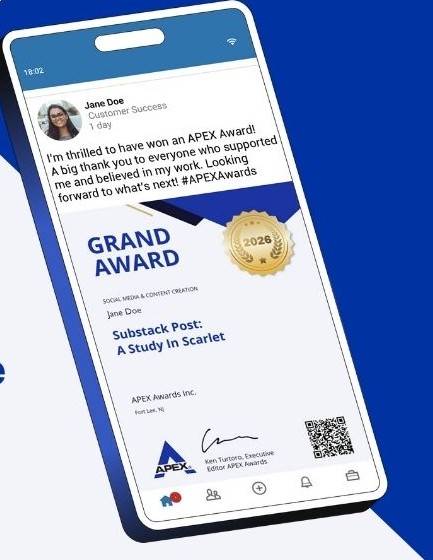
What you get
The same Grand Award or Award of Excellence, in a form built to be checked, shared and kept.
Verified by APEX
Every virtual award carries a unique certificate ID and a QR code. Anyone can confirm it is genuine at apexawards.com/validation.
On your LinkedIn profile
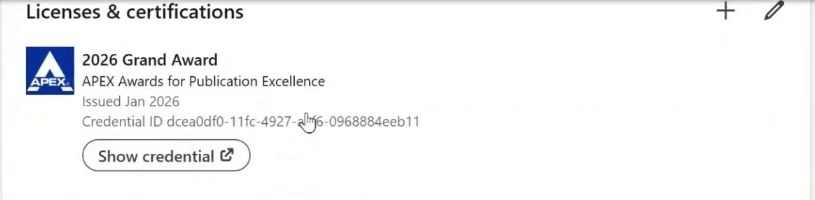
One click adds it under Licenses & certifications, with a Show credential button that opens your validation page.
Ready to share
Post it to LinkedIn, Facebook or X from your award page, or download it as a PNG or PDF for your email signature, website or newsletter.
Delivered to the right person
It is emailed to the first nominee on the entry, so the writer, designer or team lead receives it in their own inbox. Nothing to forward and nothing to ship.
How it works
These screens are from a 2026 Grand Award issued to our test winner, Sherlock Holmes.
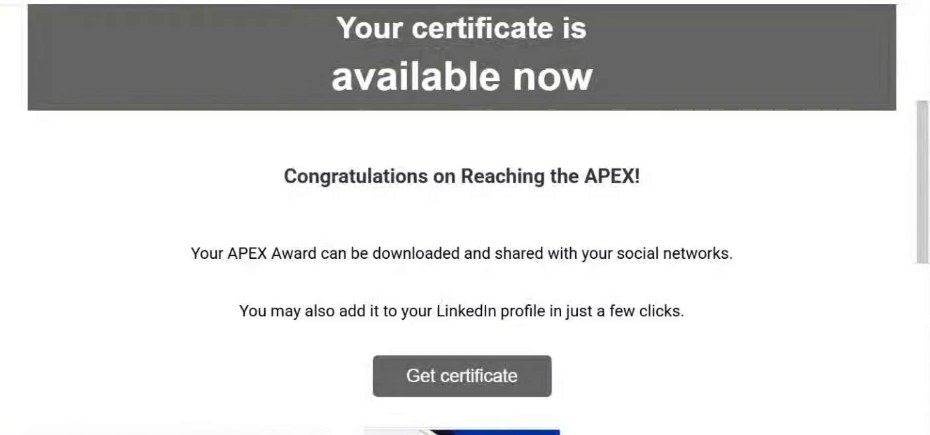
The award arrives by email
When results go out, the nominee receives an email from APEX Awards with a Get certificate button. Everything below is one click away from that email.
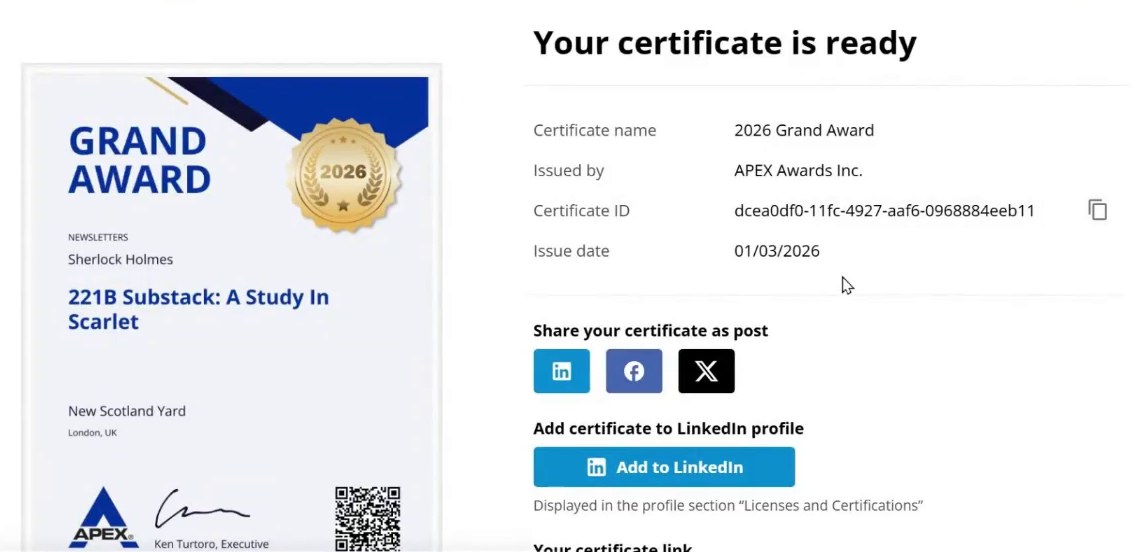
Your award page
The page shows the award itself, the issue date and your certificate ID. From here you can share it as a post, add it to LinkedIn, copy your certificate link, or download it as a PDF or PNG.
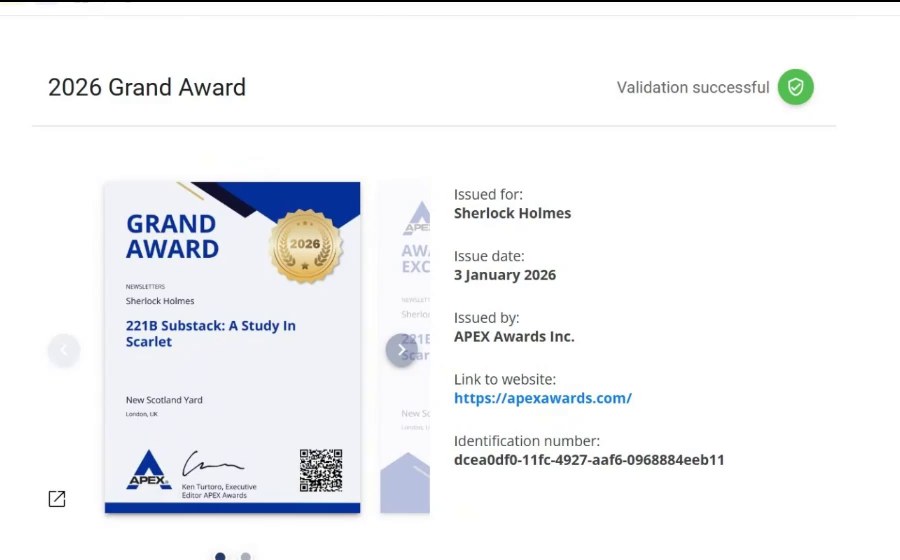
Anyone can check it
The QR code on the award and your certificate link both open a validation page on apexawards.com. It shows who the award was issued to, when, and by whom. That is what makes it a credential rather than a picture.
Add it to LinkedIn
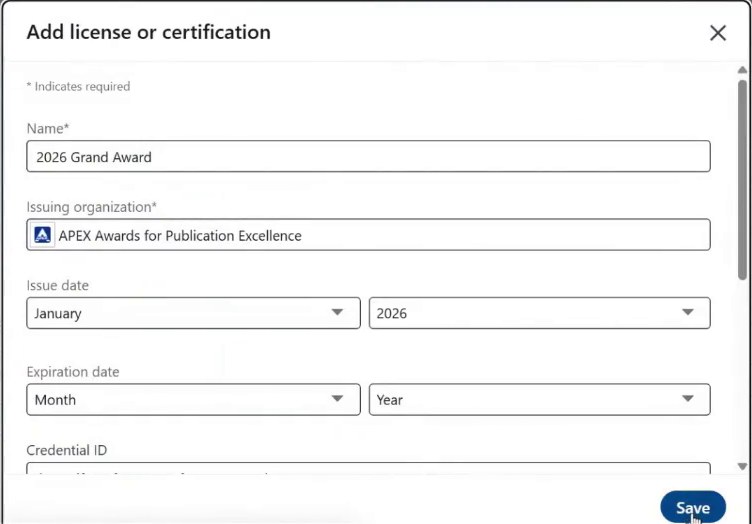
Click Add to LinkedIn and the form is filled in for you: the award name, APEX Awards for Publication Excellence as the issuing organization, the issue date and the credential ID. It appears under Licenses & certifications with a Show credential link.
Share the news
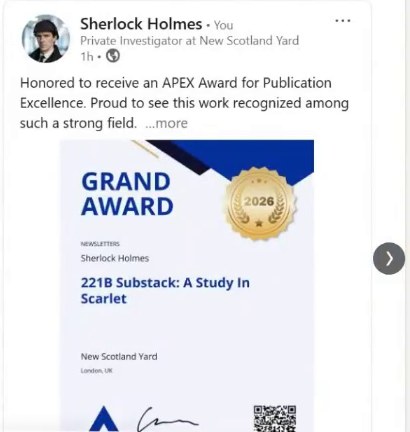
Share your certificate as a post on LinkedIn, Facebook or X with a message of your own. The award image goes with it.
Physical or virtual? You choose when you enter.
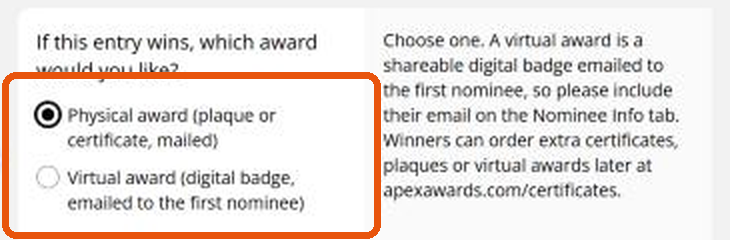
The entry form asks which award you would like if the entry wins. Either way it is the same award: the same judging, the same Grand Award or Award of Excellence, the same listing on apexawards.com and the same winner logo for your own promotion.
We do not offer the virtual award to cut corners. It is issued through a paid credential provider, and extra virtual awards cost the same as extra paper certificates in the certificate store.
What it changes is where the award lives. Remote teams and organizations without a lobby or a trophy case asked us for an award they can show without a wall. This is that award.
| Compared with a PDF of the certificate | PDF file | Virtual award |
|---|---|---|
| Anyone can verify it on apexawards.com | No | Yes |
| Unique certificate ID and QR code | No | Yes |
| Adds to LinkedIn Licenses & certifications with a Show credential link | No | Yes |
| One-click share to LinkedIn, Facebook and X | No | Yes |
| Issued in the nominee's name and sent to them directly | No | Yes |
| Download as PNG and PDF | Yes | Yes |
Want both?
Winners can order extra certificates, plaques and virtual awards for co-workers, vendors and clients from the APEX certificate store: paper certificate $20, virtual award $20, plaque with certificate $75, plaque only $55.
Common questions
Who receives the virtual award?
The first nominee listed on the entry's Nominee Info tab, at the email address given there. Check that email before you submit.
Can I change my choice?
Yes. Edit your entry any time before the deadline. After the deadline, email [email protected].
Does it expire?
No. The credential has no expiration date, and its validation page stays on apexawards.com.
Do I still get a physical award?
If you chose virtual, the virtual award is your award. Plaques and paper certificates can be ordered any time from the certificate store.
Watch the two-minute walkthrough
From the winner's email to a LinkedIn post, start to finish.
Ready to enter?
APEX 2027 is open. Pick physical or virtual on the entry form, and change your mind any time before the deadline.
Enter APEX Order certificates


© Copyright 2026 APEX Awards Inc. - All Rights Reserved.